Accounts
Sell plays
How SlugSplit tells you which positions a reverse split already paid, and how to sell them in one step.
After a reverse split runs, each position you bought for it is in one of a few states: a whole share the broker rounded up (sell it), a fractional leftover (sell it), or still waiting for the split to post. SlugSplit works this out per position from your holdings and every play the Radar feed has ever sent — including plays you bought by hand from your phone.
The Status pills#
Open an account's Details and read the Status column of the positions table.
| Pill | What it means |
|---|---|
| Not a play | No reverse-split play ever named this ticker. An ordinary holding. |
| Holding | A play names it, but the effective date is still ahead — or not announced yet. Keep holding. |
| Pending | The date has passed, but the broker still shows the position unchanged. Brokers post splits late; give it a few days. |
| Rounded up · sell | The split ran and the broker rounded your fraction up to a whole share. This is the profit — sell the whole position. |
| Fractional · sell | The split left a fractional leftover. Sell it; it only shrinks from here. |
| Needs review | A week past the date and the position still looks unchanged. Look at it by hand — the broker may have handled this split unusually. |
A position with several plays over time is judged against the play with the latest effective date.
The sell dot#
On the Accounts table, a green or red dot beside a login's name means the classifier found something to sell there — green for rounded-up shares, red for fractional leftovers. Hover the dot for the counts.
Create sell task#
Right-click the account and choose Create sell task…, or tick several accounts and use the button above the table.
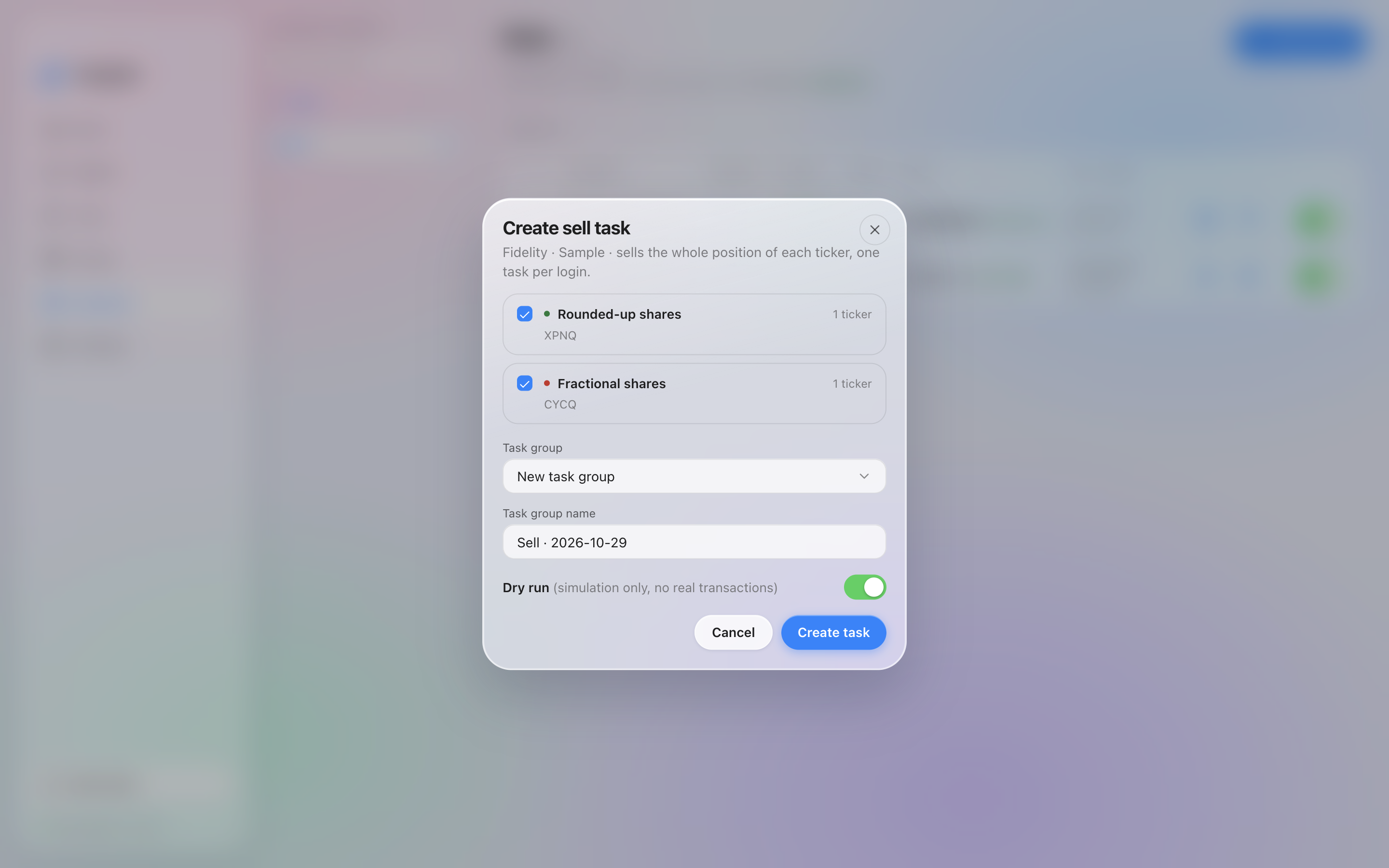
Create sell task on a sample login. Both buckets are ticked, and Dry run is on.
The dialog pre-sorts the tickers into Rounded-up shares and Fractional shares — untick a bucket to leave it alone. It sells the whole position of each ticker, one task per login, into the Task group you pick (a new dated group by default).
Dry run starts on, so the tasks it writes are simulations. The tasks are also only written, not started — start them from Tasks, and turn Dry run off only when the sale should be real.
Selling is always your call. The pills and the dot are the classifier's read of your holdings; nothing is ever sold automatically.