Tasks
Tasks
What a task is, and what dry run means.
A task is one buy or one sell, on one account, for the tickers you list.
Make the task#
Choose Tasks. As with accounts, pick a group on the left, or make one with New. Then choose New task.
Set the side, the share count, and the tickers. Select the accounts. SlugSplit creates one task for each account you select.
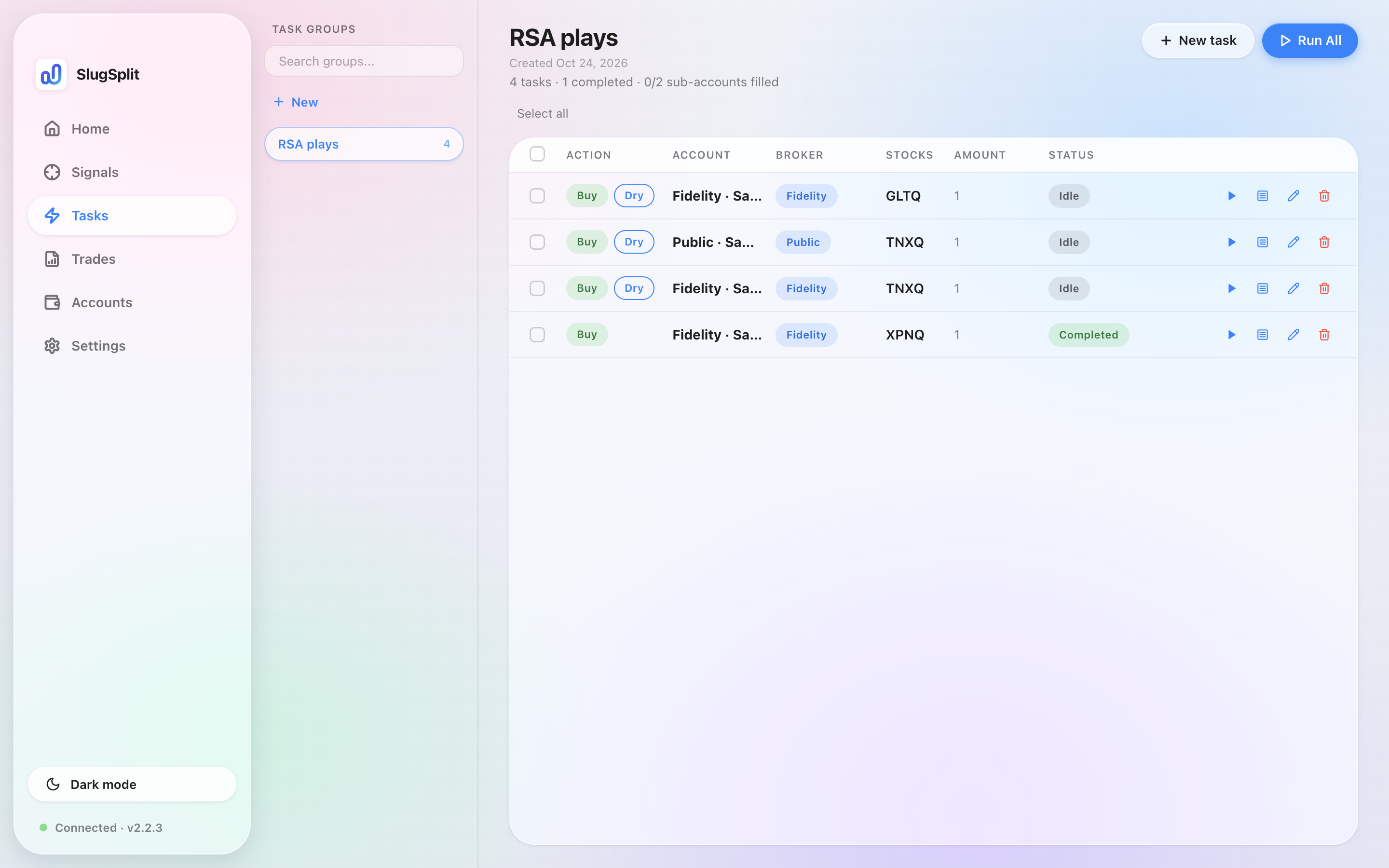
Two sample tasks. Both are dry runs.
Dry run#
On the form, Dry run says the task is a simulation and places no real transactions. Leave it on while you check the account, the ticker, and the share count.
A row marked Dry does not place an order. SlugSplit still signs in and walks the order, then stops before sending it.
Turn Dry run off only on a task that should place a real order. Starting that task spends real money.
Start a task from its row, or start the idle tasks in the group together.
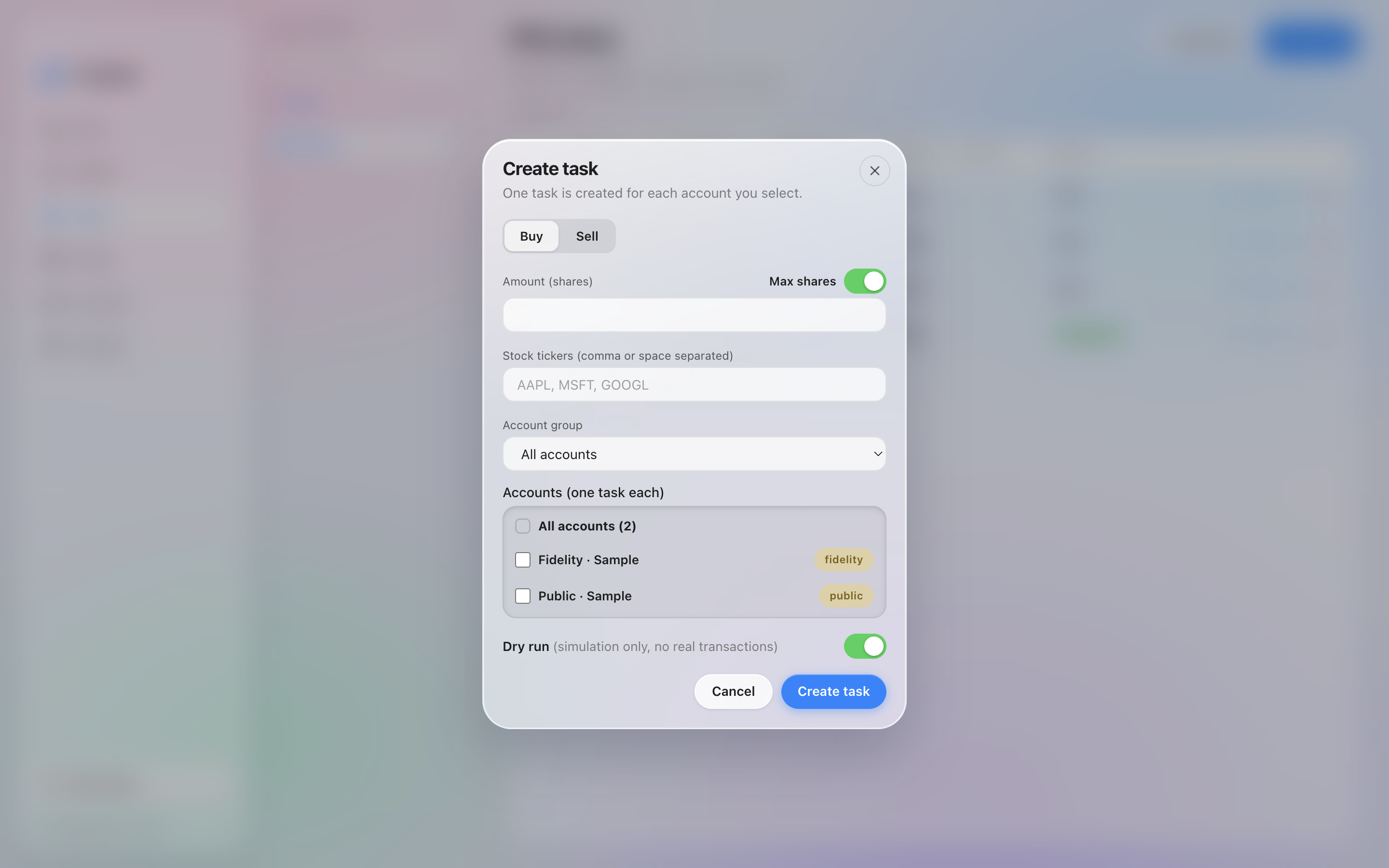
A new task with Dry run switched on.
The default#
Settings, on the General tab, has Default dry run. While that switch is on, every new task starts as a dry run. You can still turn it off on one task.
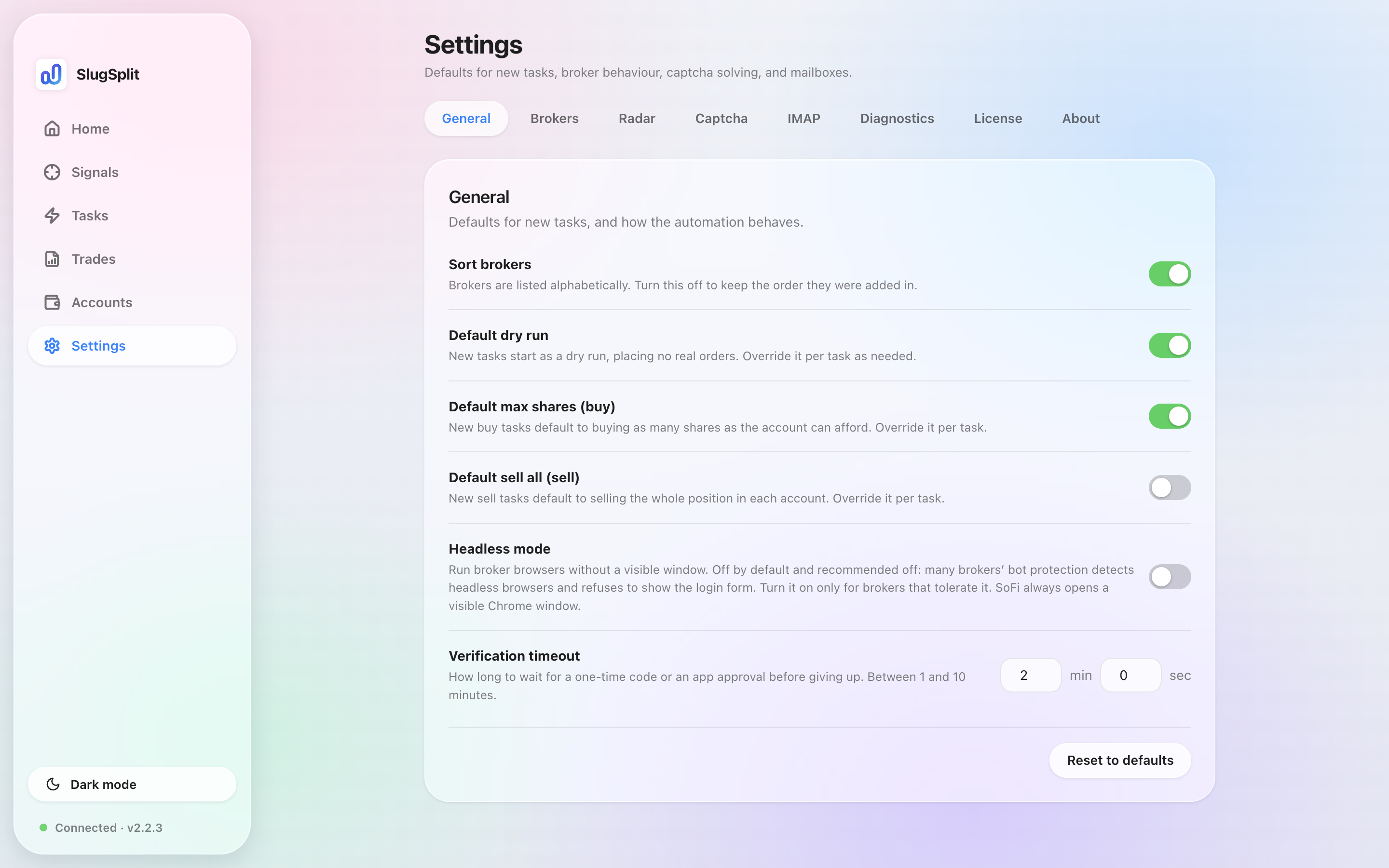
Default dry run on the General tab.
A new install has this switch on.
Account group on the form filters which accounts you can tick. All accounts is the default.
Run All starts every idle task in the selected group. Tick rows to Start, Stop, Edit, or Delete just those. Right-click one task for the same actions, plus Show log. The log is Task log. Orders that were actually sent are on Trades.
Status on a row runs Idle, Running, Awaiting input (a code or approval is wanted — see Verify), then Completed, Failed, or Cancelled. Two tasks on the same account queue instead of colliding: the later one shows Waiting, with the task it is behind. Partial means some tickers placed nothing; the log names them. A failed task can name its reason right on the row — for example Monthly limit reached, Ticker restricted, Insufficient funds, Already owned, or Account inactive.