Trades
Trades
Where to read the orders SlugSplit has sent.
Trades is the trade log of orders this app sends. Choose Trades in the sidebar. The heading is Trades.
With All accounts selected, the line under the heading reads: Orders this app sent, across every login. A group, a login, or one book changes that line to name what you selected.
The left pane is Accounts. Search accounts narrows it. All accounts is every login. Open a group, then a login, then a book, to narrow the list on the right.
A book is one investment account inside a login. The count beside a name is how many orders match that branch.
The table columns are Time, Ticker, Side, Qty, Type, Price, Account, and Broker, then Status (Submitted, Filled, Partial, or Rejected). Account names the login with the book's last digits, like (···5678). Prices drop their trailing zeros. Search ticker above the table narrows the rows to one symbol, and clicking a row opens the order's details, including the broker order id. An empty selection says No trades here.
A dry run does not send an order, so it does not add a row here. Turn Dry run off and start the task when the order should be real.
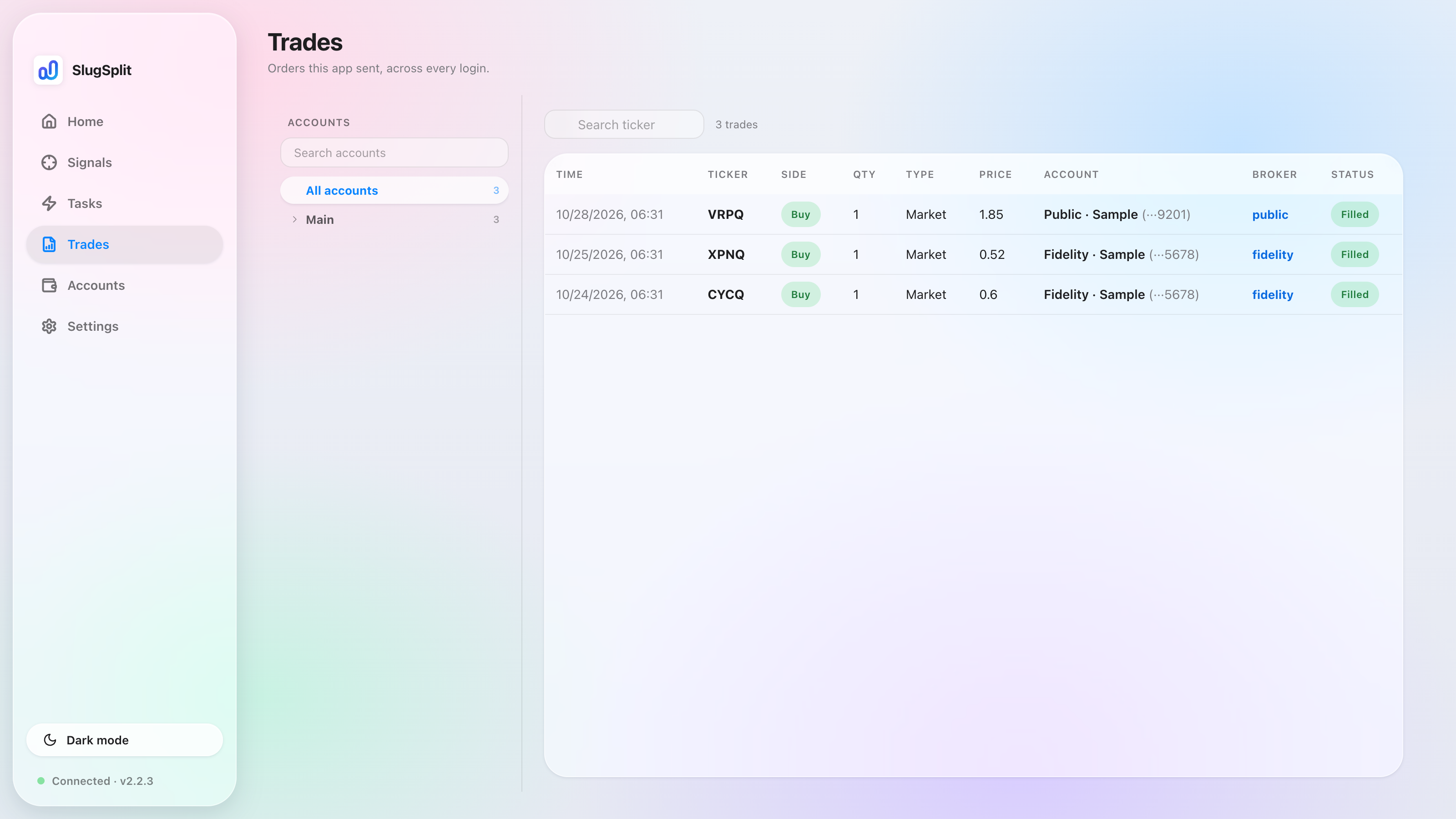
Trades with sample fills. Dry runs never appear here.
The account names in the picture are samples.