Signals
Create Task
Turn any signal into a task you can run later. Create tasks appears on every Upcoming and Unconfirmed play.
Creating a task doesn't place a trade. You would need to run the task later in Tasks to place a buy or sell order.
Create a task from a signal#
- Click Create tasks on the play's row.
- Choose a Task group. By default, a new group is created and named after the ticker and effective date (if date is available). You can rename it or add the task to an existing group instead.
- Check the order details. The ticker and share amount are filled in from the signal.
- Leave Dry run on unless you're ready to trade with real money.
- Save the task.
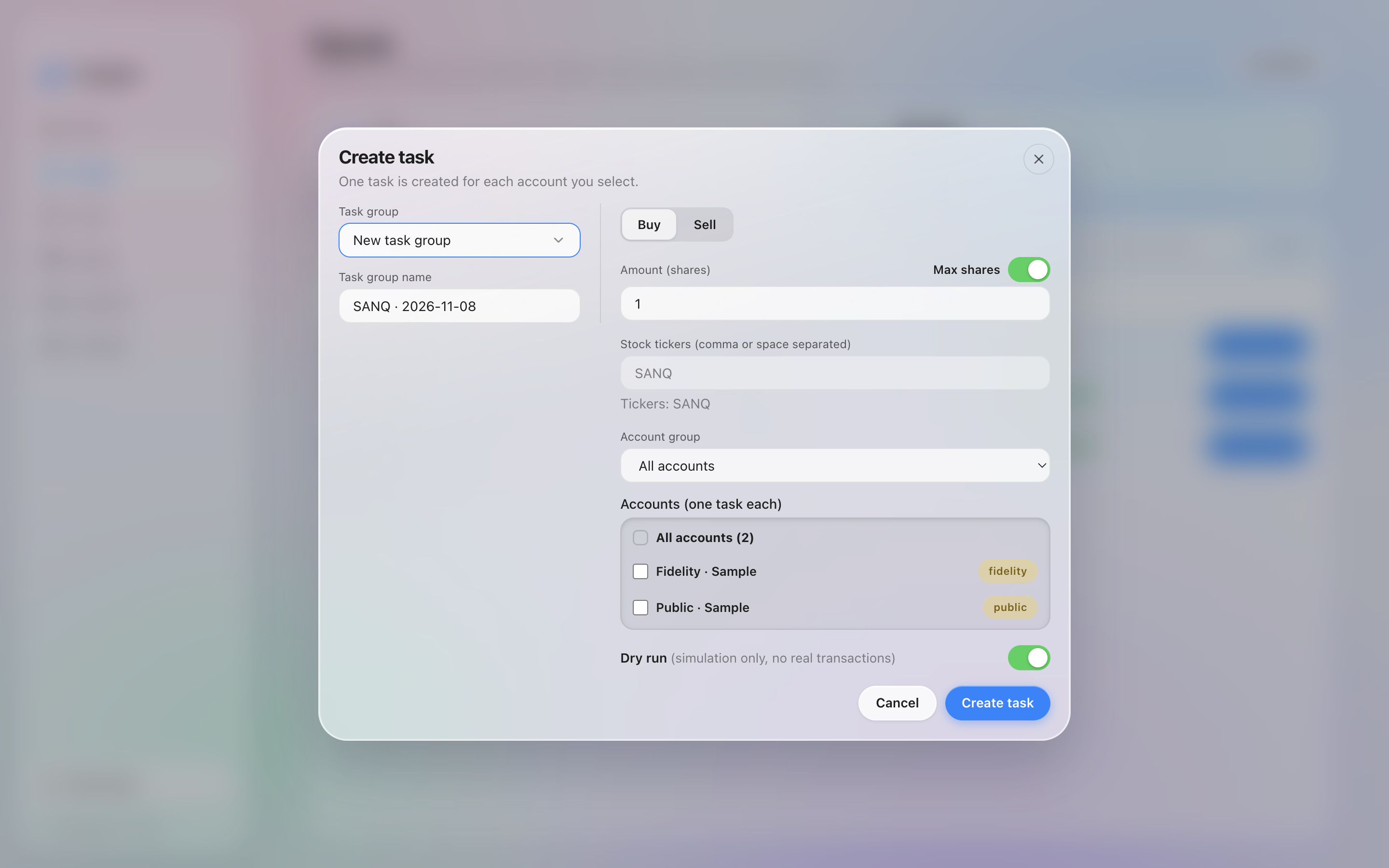
Creating a task from a sample signal: a dry-run buy of 1 share.
Dry run#
With Dry run on, the task simulates the order without sending anything to your broker. It's on by default for new installs. You can change the default in Settings under Default dry run.
To place a real order: turn Dry run off, then start the task from Tasks.
Create tasks can occasionally and rarely be grayed out. Hover over it to see the reason.